top of page
PRODUCTS
Stations
Tracking Systems
Cameras
Accessories
SOLUTIONS
Education
Government
Corporate
Healthcare
Events
Technology Partners
NEWS & EVENTS
News
Webinar Videos
Noticias en Español
ADENA Wizard
Webinars
RESOURCES
Technical Information
Firmware & Resources
ADENA Hacks
Product Videos
Training Videos
Catalogues
FOR PARTNERS
ADENAcademy
Project Registration
Partners Access
ADENA Tech Support
CONTACT US
REQUEST A LIVE DEMO
More
Use tab to navigate through the menu items.
PRODUCT VIDEOS
get a closer look
Categories
Introduction Videos
Play Video
Play Video
01:27
AREC – Grabaciones que Generan Valor
Este video presenta el Sistema de Captura de Medios AREC, una solución única que crea grabaciones realmente valiosas para todos los sectores con solo presionar un botón.
Play Video
Play Video
01:31
RADA NoirCam camera A-TC30 AI Tracking Demo
This video is a fragment of the AREC Product Launch 2026 webinar. You can watch the full version here: https://youtube.com/live/S3ziMUTKa_o
Play Video
Play Video
01:59
KS-CC1 Demo en Español | Subtítulos y Traducción Multilenguaje en Vivo
La KS-CC1 es una estación profesional de transcripción y traducción de voz a texto diseñada para generar subtítulos automáticos y traducción multilenguaje en tiempo real. En esta demostración podrán ver cómo el sistema: • Genera subtítulos automáticos en vivo • Realiza traducción simultánea hasta a dos idiomas adicionales • Muestra subtítulos directamente sobre el video • Permite visualizar transcripciones y traducciones completas • Ofrece acceso a los subtítulos desde navegador web en computadoras y dispositivos móviles La KS-CC1 es ideal para: • Educación y universidades • Conferencias y eventos internacionales • Reuniones híbridas y videoconferencias • Streaming y producción audiovisual • Espacios que requieren accesibilidad multilingüe Lista completa de idiomas compatibles: https://www.a-dena.com/product-page/ks-cc1-closed-captions-station Más información: 🌐 www.a-dena.com 📩 info@a-dena.com #KSCC1 #SubtitulosEnVivo #SpeechToText #LiveTranslation #AREC #ADENA
Play Video
Play Video
05:16
RADA A-TC20 & A-TC30: regular PTZ network camera and its AI tracking version
In this video we are introducing new RADA NoirCam cameras: A-TC20 and A-TC30, made to both be the perfect match for AREC Media Stations and for independent use. We showcase and discuss the main features of these cameras, their interfaces, support of various protocols, advantages, and more. This video is a fragment of the AREC Product Launch 2026 webinar. You can watch the full version here: https://youtube.com/live/S3ziMUTKa_o
Play Video
Play Video
06:21
AREC LS-210 & LS-310: recording and streaming Media Stations with 4K, Dante Audio, NDI|HX, and more
In this video we are introducing new AREC Media Stations LS-210 and LS-310. These are all-in-one solutions made for quick and professional capturing, mixing, recording, and streaming of AV content in 4K, with built-in support of Dante Audio, NDI|HX, and other technologies and features. This video is a fragment of the AREC Product Launch 2026 webinar. You can watch the full version here: https://youtube.com/live/S3ziMUTKa_o This video includes multilingual subtitles and AI-generated audio tracks. Select your preferred language using the player settings. For maximum accuracy of product names and technical terminology, the original English audio remains the reference version.
Play Video
Play Video
02:40
AREC DS-9CU and Sennheiser Teamconnect Ceiling Medium Microphone Integration
See how the AREC DS-9CU Speaker Tracking Station works with Sennheiser TeamConnect Ceiling Medium microphones to create an automated speaker tracking and video production system. No programming or additional software is required. Requires DS-9CU firmware v1.0.0.23 or later for compatibility with Sennheiser TeamConnect Ceiling Medium. 🔹 More information: www.a-dena.com 🔹 ADENAcademy: www.a-dena.com/adenacademy 📧 Contact us: info@a-dena.com #AREC #DS9CU #SpeakerTracking #Sennheiser #TeamConnectCeiling
Play Video
Play Video
04:41
KS-CC2 Traducción Bidireccional de Voz a Texto por AI
Echa un vistazo a esta breve introducción del AREC KS-CC2, nuestro dispositivo de traducción AI bidireccional de voz a texto. Este clip forma parte de la presentación completa de las últimas soluciones de AREC en ISE 2025. Si quieres ver todos los productos presentados en el evento, puedes ver el video completo aquí: 🔗 https://www.youtube.com/watch?v=7rT7OhHG6lg&t=12s Para información detallada sobre el KS-CC2, visita la página del producto: 🔗 https://www.a-dena.com/product-page/ks-cc2-speech-to-text-ai-translator También puedes ver cómo utilizarlo en videoconferencias en esta publicación: 🔗 https://www.a-dena.com/post/adena-hack-how-to-use-ks-cc2-in-video-conferencing-applications #AREC #KSCC2 #SpeechToText #TraductorIA #avsolutions Videos relacionados: https://www.youtube.com/watch?v=ovtAAaHYrA4 https://www.youtube.com/watch?v=9NGmW90Far8 https://www.youtube.com/watch?v=GzMtu4QZfaY
Play Video
Play Video
02:45
RADA Touch – идеальное решение для мониторинга и контроля
В этом видео мы показываем RADA Touch – сенсорный дисплей, который упрощает контролирование и мониторинг различных AV устройств для операторов и ведущих. Посмотрите, как можно пользоваться этим устройством на примере линейки AREC: медиастанции LS-410, станции слежения за ведущими DS-9CU и контрольной станции DS-AC1. Применяйте RADA Touch также и с устройствами других производителей.
Play Video
Play Video
02:32
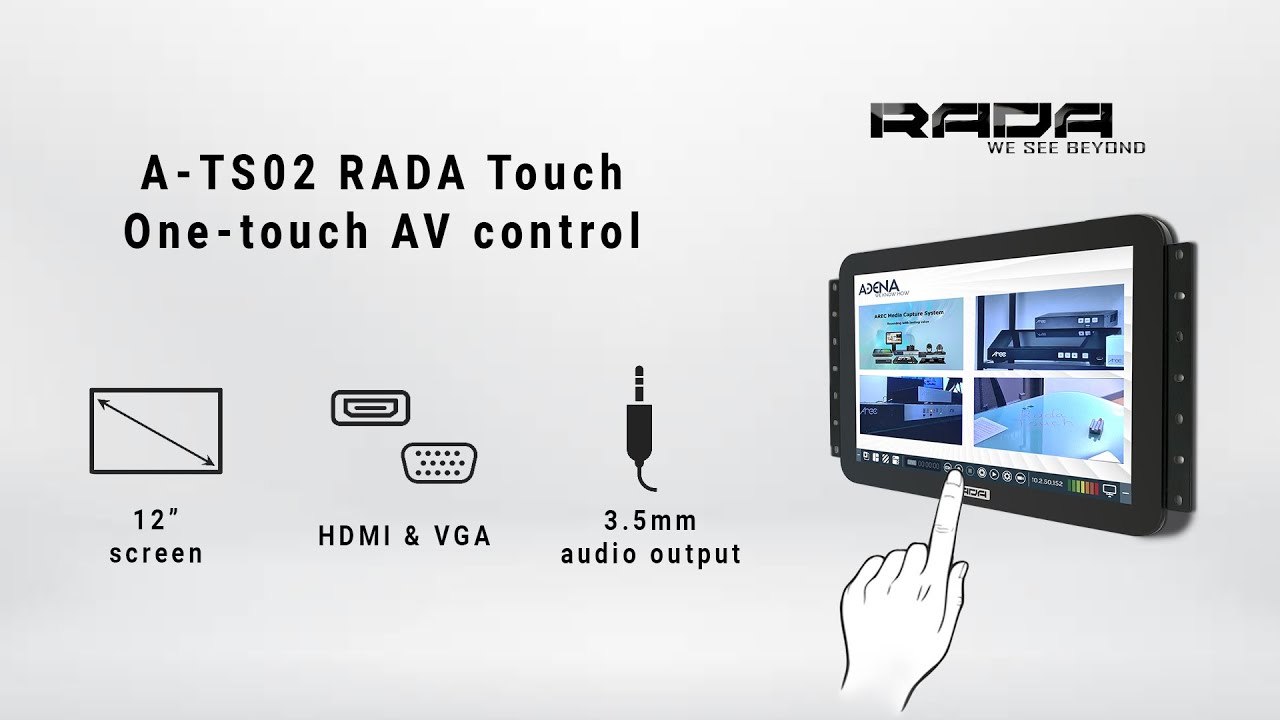
How to use RADA Touch to monitor and control your AV systems?
In this video we demonstrate RADA Touch – a touchscreen display which makes it easy for operators and presenters to see and control a variety of AV devices. Watch how it can be used with the AREC product line: Media Stations, Speaker Tracking Stations, and Control Stations, and use it the same way with third-party devices too!
Play Video
Play Video
01:19
AREC – с нами запись приносит пользу
Play Video
Play Video
01:21
AREC – Recording With Lasting Value
Play Video
Play Video
00:43
AREC DS-9CU + Sennheiser TeamConnet | Automatic Speaker Tracking Demo
See how the AREC DS-9CU Speaker Tracking Station works seamlessly with the Sennheiser TeamConnect Ceiling Medium. In this demonstration, multiple PTZ cameras automatically change position and preset based on the active audio zone detected by the microphone. No operator or manual control is needed. The DS-9CU receives microphone activation signals through network integration and triggers smooth camera transitions, providing a simple and scalable solution for modern meeting and conferencing spaces. Learn more or contact us: https://www.a-dena.com/contact-us #AREC #Sennheiser #AVIntegration #SpeakerTracking #ProAV #ConferenceTechnology #TeamConnect #PTZcamera #AudioTracking #MeetingRoom
Play Video
Play Video
14:08
Seguimiento automático de oradores – AREC DS-9CU + TELEVIC Confidea
Descubre cómo la estación de seguimiento de oradores AREC DS-9CU se integra con los micrófonos TELEVIC Confidea para ofrecer seguimiento automático de oradores sin licencias adicionales, ideal para salas de conferencias, consejos y entornos corporativos. Este video es un fragmento de nuestro webinar completo, donde también puedes ver ejemplos de instalaciones reales y casos de uso más detallados. 🔹 Mira el webinar completo aquí: [link al video completo] 🔹 Más información: www.a-dena.com 🔹 ADENA Academy: www.a-dena.com/adenacademy 📧 Contáctanos: info@a-dena.com #AREC #DS9CU #SeguimientoDeOradores #SolucionesDeConferencia #Televic #Confidea #IntegraciónAV
Play Video
Play Video
11:40
Automatic Speaker Tracking – AREC DS-9CU + TELEVIC Confidea
See how the AREC DS-9CU Speaker Tracking Station integrates seamlessly with TELEVIC Confidea microphones to deliver automatic, license-free speaker tracking for conference rooms, councils, and institutions. This video is a fragment from our full webinar. In the complete session, you can also see real installation examples and more detailed use cases. 🔹 Watch the full webinar here: https://youtube.com/live/Hxvru2rtO_Y 🔹 Learn more: www.a-dena.com 🔹 ADENA Academy: www.a-dena.com/adenacademy 📧 Contact us: info@a-dena.com #AREC #DS9CU #SpeakerTracking #ConferenceSolutions #Televic #Confidea #AVIntegration
Play Video
Play Video
24:05
"Siganme los buenos!" - AREC DS-9CU y Televic Confidea
¡Ve la estación de seguimiento de oradores DS-9CU en acción junto con el sistema de micrófonos de debate Televic Confidea! En nuestro webinar, mostraremos las características más destacadas de la estación, explicaremos cómo se adapta a diferentes proyectos y compartiremos casos reales de éxito con nuestras soluciones de seguimiento de oradores. 0:00 Introducción de AREC 1:37 Ecosistema AREC 3:21 Principales características 4:38 DS-9CU: Ejemplo de aplicación 6:40 Demostración de configuración 13:21 Ejemplo de funcionamiento en vivo 16:02 Recapitulación de características 17:25 Aplicaciones en proyectos 23:01 Dónde buscarnos
Load More
Speaker Tracking Solutions
Play Video
Play Video
00:43
AREC DS-9CU + Sennheiser TeamConnet | Automatic Speaker Tracking Demo
See how the AREC DS-9CU Speaker Tracking Station works seamlessly with the Sennheiser TeamConnect Ceiling Medium. In this demonstration, multiple PTZ cameras automatically change position and preset based on the active audio zone detected by the microphone. No operator or manual control is needed. The DS-9CU receives microphone activation signals through network integration and triggers smooth camera transitions, providing a simple and scalable solution for modern meeting and conferencing spaces. Learn more or contact us: https://www.a-dena.com/contact-us #AREC #Sennheiser #AVIntegration #SpeakerTracking #ProAV #ConferenceTechnology #TeamConnect #PTZcamera #AudioTracking #MeetingRoom
Play Video
Play Video
14:08
Seguimiento automático de oradores – AREC DS-9CU + TELEVIC Confidea
Descubre cómo la estación de seguimiento de oradores AREC DS-9CU se integra con los micrófonos TELEVIC Confidea para ofrecer seguimiento automático de oradores sin licencias adicionales, ideal para salas de conferencias, consejos y entornos corporativos. Este video es un fragmento de nuestro webinar completo, donde también puedes ver ejemplos de instalaciones reales y casos de uso más detallados. 🔹 Mira el webinar completo aquí: [link al video completo] 🔹 Más información: www.a-dena.com 🔹 ADENA Academy: www.a-dena.com/adenacademy 📧 Contáctanos: info@a-dena.com #AREC #DS9CU #SeguimientoDeOradores #SolucionesDeConferencia #Televic #Confidea #IntegraciónAV
Play Video
Play Video
11:40
Automatic Speaker Tracking – AREC DS-9CU + TELEVIC Confidea
See how the AREC DS-9CU Speaker Tracking Station integrates seamlessly with TELEVIC Confidea microphones to deliver automatic, license-free speaker tracking for conference rooms, councils, and institutions. This video is a fragment from our full webinar. In the complete session, you can also see real installation examples and more detailed use cases. 🔹 Watch the full webinar here: https://youtube.com/live/Hxvru2rtO_Y 🔹 Learn more: www.a-dena.com 🔹 ADENA Academy: www.a-dena.com/adenacademy 📧 Contact us: info@a-dena.com #AREC #DS9CU #SpeakerTracking #ConferenceSolutions #Televic #Confidea #AVIntegration
Play Video
Play Video
01:42
ISE 2025 DS-9CU Introducción a la estación de seguimiento de oradores
Presentamos un nuevo producto de AREC: una estación de seguimiento automático de oradores de 9 canales con entradas, salidas y transmisión en 4K. Descubre más información en nuestro sitio web: https://www.a-dena.com/product-page/ds-9cu-speaker-tracking-station
Play Video
Play Video
02:13
ISE 2025 демонстрация станции слежения за ведущими DS-9CU
Представляем новинку - станция слежения за ведущими с поддержкой до 9 видеоканалов, 4К входами, выходами и трансляцией. Узнайте больше об этом продукте на нашем сайте: https://www.a-dena.com/product-page/ds-9cu-speaker-tracking-station
Play Video
Play Video
01:45
ISE 2025 DS-9CU Speaker Tracking Station Introduction
Introducing a new AREC product: a 9-channel automatic speaker tracking station with 4K inputs, outputs, and streaming. Find out more information on our website: https://www.a-dena.com/product-page/ds-9cu-speaker-tracking-station
Play Video
Play Video
21:36
Push the button! AREC DS-4CU and Bosch CCS-1000D webinar
In this webinar we will demonstrate how to configure and work with the AREC DS-4CU Speaker Tracking Station using Bosch CCS-1000D as an example together with our partner, Varius. We will discuss our station's applications and answer any questions you may have! You can find additional information about the DS-4CU in ADENAcademy - Level B, Lesson 15: https://forms.gle/W7XDiFS4pDwrNTTHA
Play Video
Play Video
20:25
Нажми на кнопку и получишь результат! Вебинар AREC DS-4CU и Bosch CCS-1000D
На этом вебинаре мы продемонстрируем работу и настройку станции слежения за выступающими AREC DS-4CU на примере Bosch CCS-1000D вместе с нашим партнером, компанией Varius. Мы расскажем про применения нашего продукта и ответим на все Ваши вопросы! Дополнительную информацию о DS-4CU можно найти в ADENAcademy – Уровень B, Урок 15: https://forms.gle/775GHrc5tipDN6z99
Play Video
Play Video
12:13
¡Presione el botón! Webinar AREC DS-4CU y Bosch CCS-1000D
En este webinar demostraremos cómo configurar y trabajar con la estación de seguimiento de micrófonos de conferencia AREC DS-4CU utilizando Bosch CCS-1000D como ejemplo junto con nuestro socio, Varius. ¡Mostraremos las aplicaciones de nuestra estación y responderemos cualquier pregunta que pueda tener! Puede encontrar información adicional sobre el DS-4CU en ADENAcademy - Nivel B, Lección 15: https://forms.gle/W7XDiFS4pDwrNTTHA Introducción 0:00-1:54 Introducción DS-4CU 1:55-4:19 Modos de autoseguimiento 4:20-6:37 Demostración 6:38-7:20 Ejemplos de instalación 7:21-8:51 DS-4CU + Estación de grabación 8:51-9:47 Otras ideas y conclusión 9:48 - 12:12
Play Video
Play Video
12:13
¡Presione el botón! Webinar AREC DS-4CU y Bosch CCS-1000D
En este webinar demostraremos cómo configurar y trabajar con la estación de seguimiento de micrófonos de conferencia AREC DS-4CU utilizando Bosch CCS-1000D como ejemplo junto con nuestro socio, Varius. ¡Mostraremos las aplicaciones de nuestra estación y responderemos cualquier pregunta que pueda tener! Puede encontrar información adicional sobre el DS-4CU en ADENAcademy - Nivel B, Lección 15: https://forms.gle/W7XDiFS4pDwrNTTHA Introducción 0:00-1:54 Introducción DS-4CU 1:55-4:19 Modos de autoseguimiento 4:20-6:37 Demostración 6:38-7:20 Ejemplos de instalación 7:21-8:51 DS-4CU + Estación de grabación 8:51-9:47 Otras ideas y conclusión 9:48 - 12:12
Play Video
Play Video
11:07
¿Quién es ese Pokemon? — AREC Lanzamiento de Producto
Presentamos los nuevos productos AREC con resolución 4K, integración de audio Dante , auto-seguimiento por inteligencia artificial entre otras características ¡Únase a nuestro en vivo o vea la grabación cuando le convenga!
Play Video
Play Video
18:32
“Это что за покемон?” Запуск продуктов AREC
Представляем новые продукты AREC с разрешением 4K, интегрированным Dante Audio, плавным AI отслеживанием и множеством других полезных функций. Присоединяйтесь к нам в прямом эфире или смотрите в вебинар записи на нашем YouTube канале, когда вам удобно!
Play Video
Play Video
16:28
"Who's that Pokemon?" AREC: Product Launch
Introducing new AREC products featuring 4K resolution, Dante Audio integration, seamless AI tracking, and a lot of other remarkable features. Join us live as we unveil them or watch the VOD at your convenience!
Play Video
Play Video
17:37
¡Mira quién habla! Integración de auto seguimiento AREC + Televic
En este webinar hablaremos de nuestra estación de seguimiento AREC DS-4CU. Mostraremos su interfaz web, como se configura y su funcionamiento en conjunto con el sistema de conferencia Televic Confidea. 0:00 - 0:49 Acerca de 0:49 - 1:20 Todo en uno 1:21 - 5:17 DS-4CU 5:18 - 6:40 Tipos de configuración 6:41 - 13:09 Interfaz web 13:10 - 14:14 Demostración 14:45 - 17:07 Aplicaciones 17:18 - 17:36 Síguenos Puedes obtener información adicional en ADENAcademy - Nivel B, Lección 15: https://forms.gle/775GHrc5tipDN6z99
Play Video
Play Video
03:22
LS-110 + CI-T10 Quick Installation Video
Load More
Go to top
bottom of page
.png)